📖 Alkitab XML
Download Alkitab XML Files
✨ 100% Free Database
BIS
Bahasa Indonesia Sehari-hari
TB
Terjemahan Baru
VMD
Versi Mudah Dibaca
🛠️ How to Use
How to Import & Configure
Step 1
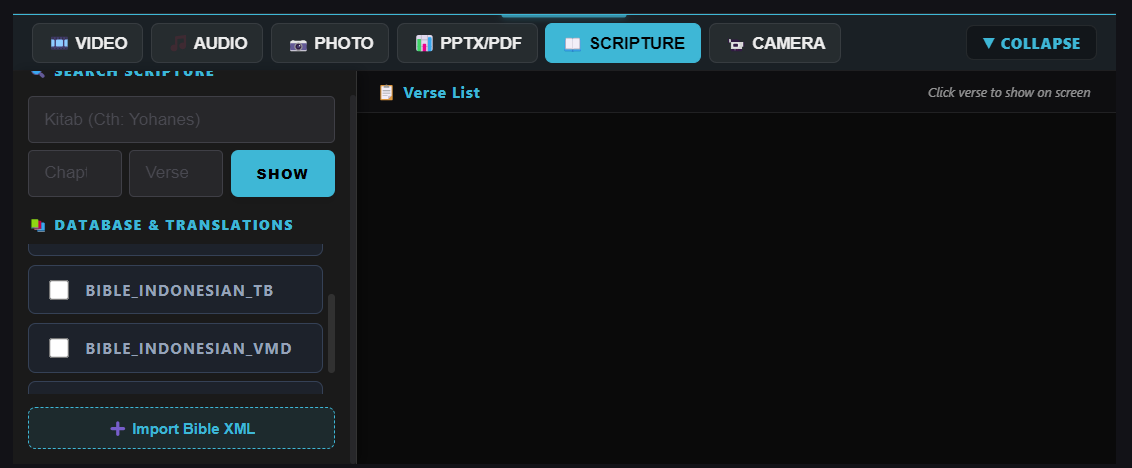
Import XML Bible File
Open the ShowLyrics App on your computer, navigate to the Bible settings menu, and click on the Import button. Select your downloaded XML file (BIS, TB, or VMD) to import the scripture text directly into the application's internal database.
Step 2
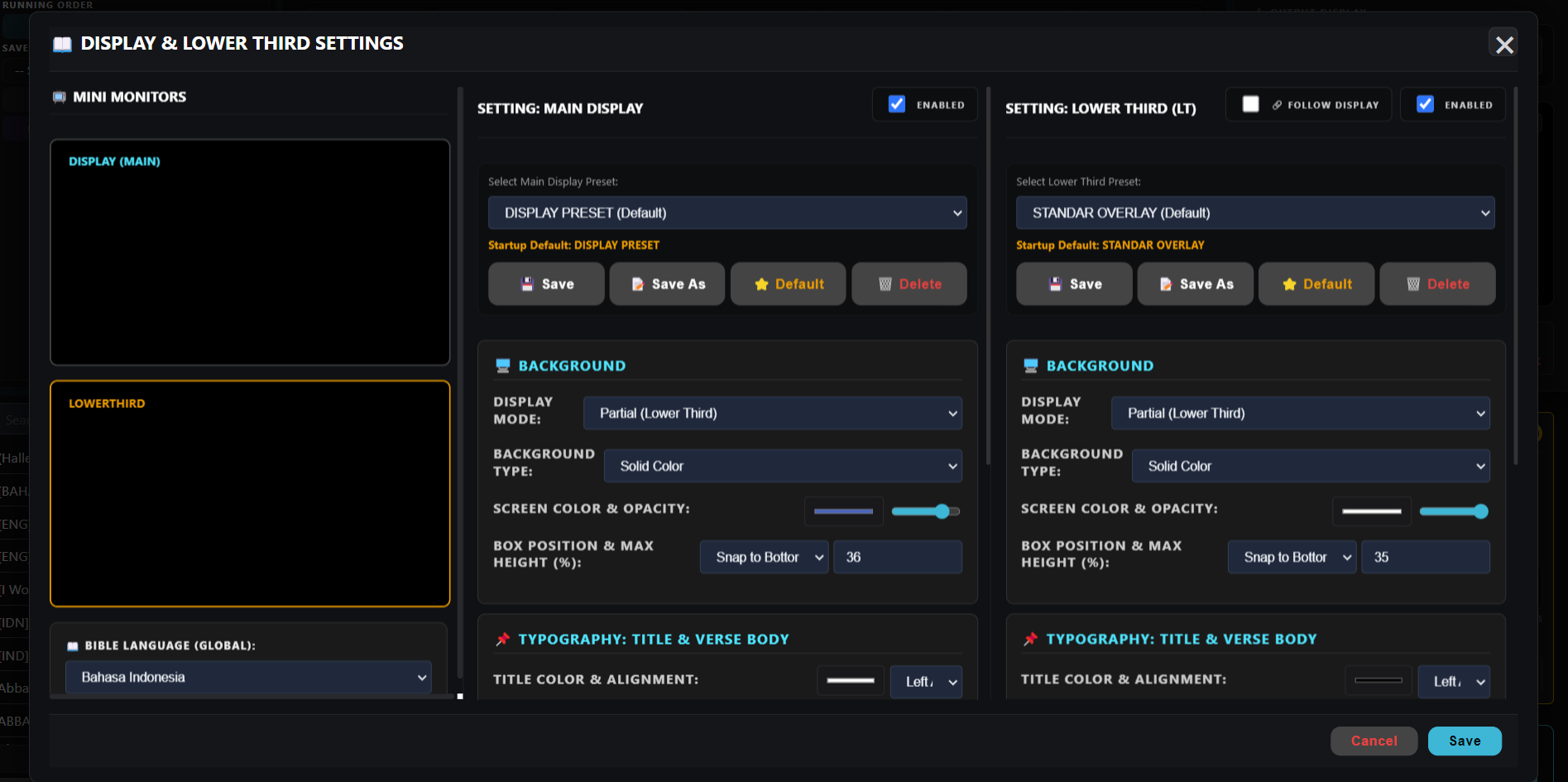
Customize Output Display
Go to the output settings to configure the visual design of the Bible verses. You can adjust the font sizes, typography, colors, and layout, or combine multiple translations to display scripture side-by-side or stacked.